Hisense / VIDAA
Screen TV for Hisense TVs running VIDAA is coming soon. Installation will be available when this edition launches.

Reproduce tus propias listas M3U, M3U8 o Xtream Codes en Smart TV, dispositivos móviles y Windows.
Screen TV for Hisense TVs running VIDAA is coming soon. Installation will be available when this edition launches.
For Philips TVs running Titan OS. Check your TV’s app catalog for Screen TV. Philips Android TV and Google TV models use the Android TV edition.
Install from Samsung Apps. USB is an alternative only on compatible Tizen models; APK and EXE files are not Samsung TV packages.
Use the LG Content Store on a compatible webOS television. Android APKs cannot be installed on webOS.
Choose ScreenXperience or ScreenPRO IPTV for Android TV / Google TV. Open the Google Play listing on your device to install the compatible version. The TV APK is also available for manual installation.
In Downloader, enter https://apk.screentv-app.com/ to obtain the TV APK. The existing short code is 305790; use the full URL if the short link fails.
The official Windows download is saved as ScreenTVInstaller.exe. Download it to a Windows PC, then run the installer there.
Choose ScreenXperience, Screen Mobile or ScreenPRO IPTV. ScreenXperience is the Android TV / Google TV edition, Screen Mobile is for phones and tablets, and ScreenPRO IPTV is available for Android devices. Check the Google Play listing for your device.
Use the existing Huawei AppGallery listing. Check device and region availability in the store.
Use the Roku store listing for a supported Roku device; APK, EXE and Samsung ZIP packages are not Roku installers.
Discover a familiar home screen, find something to watch, and pick up where you left off.
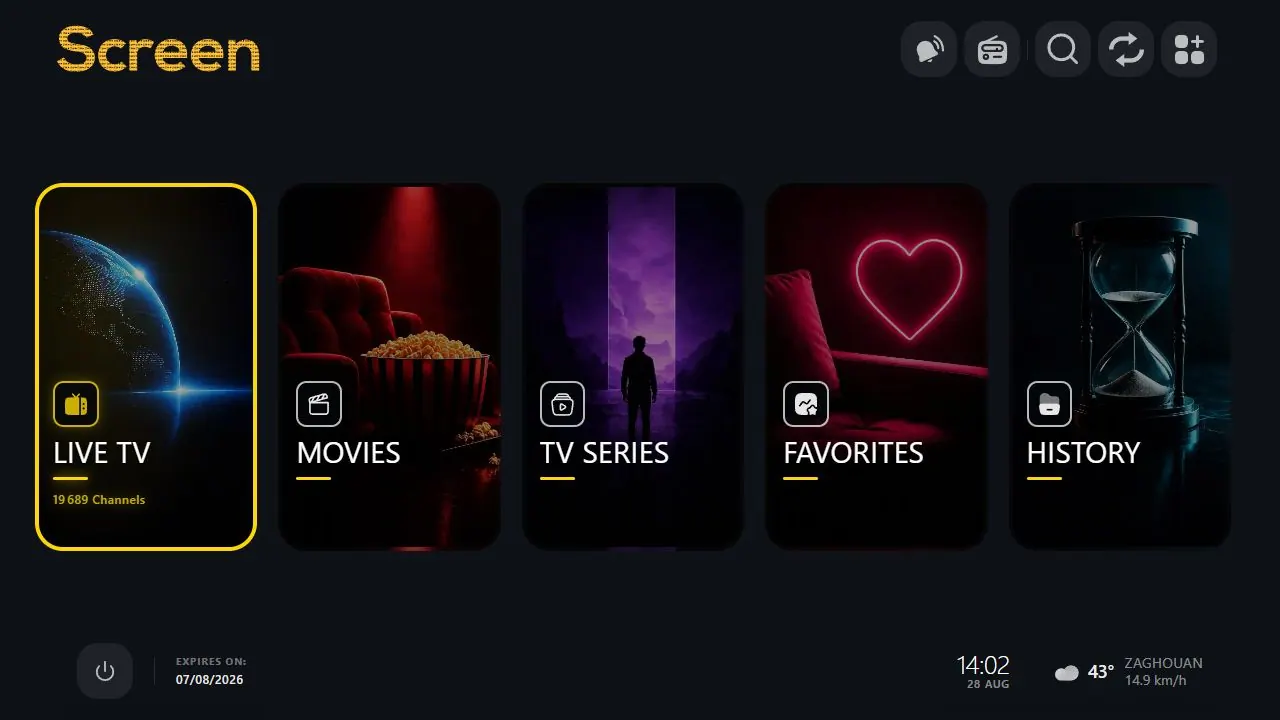
A clear home screen brings your playlist and favorite features together.
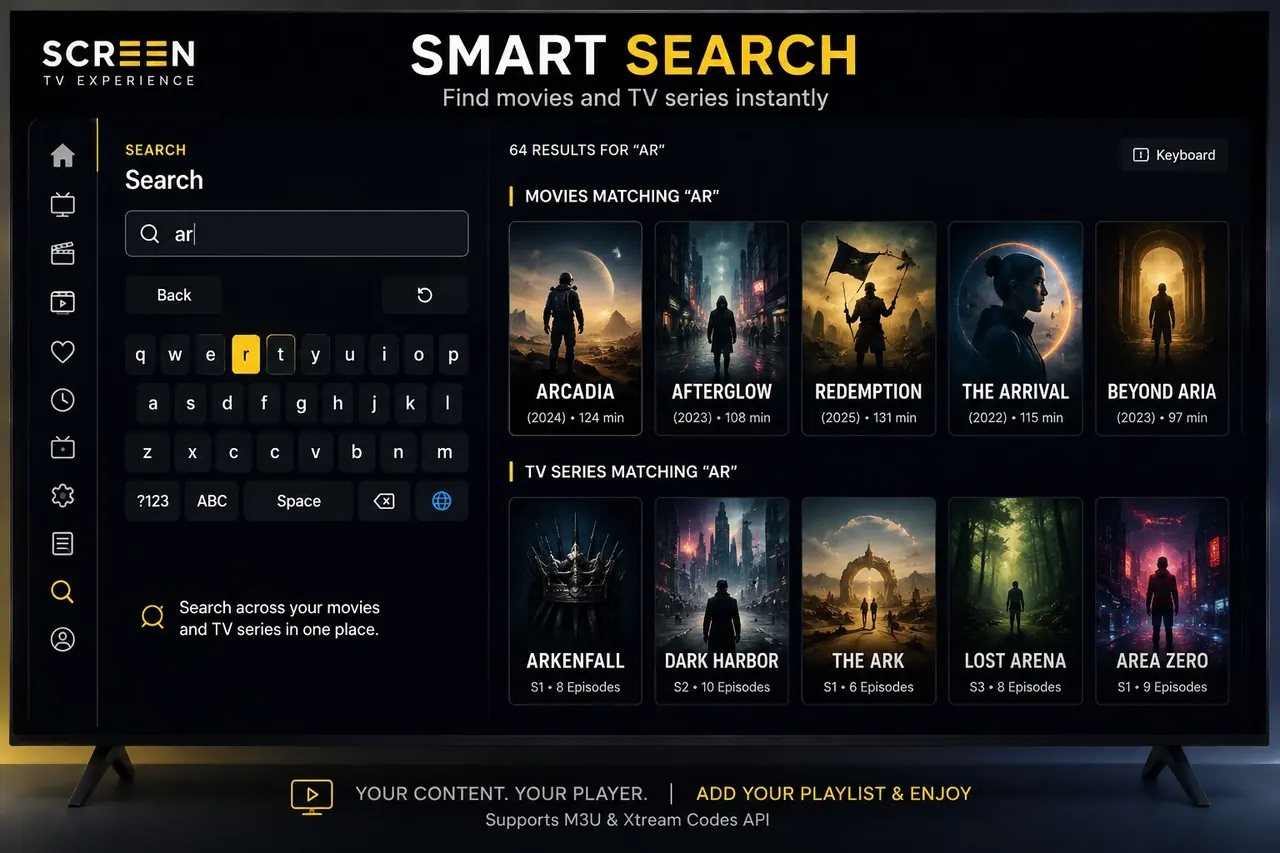
Find what you want to watch across your playlist.
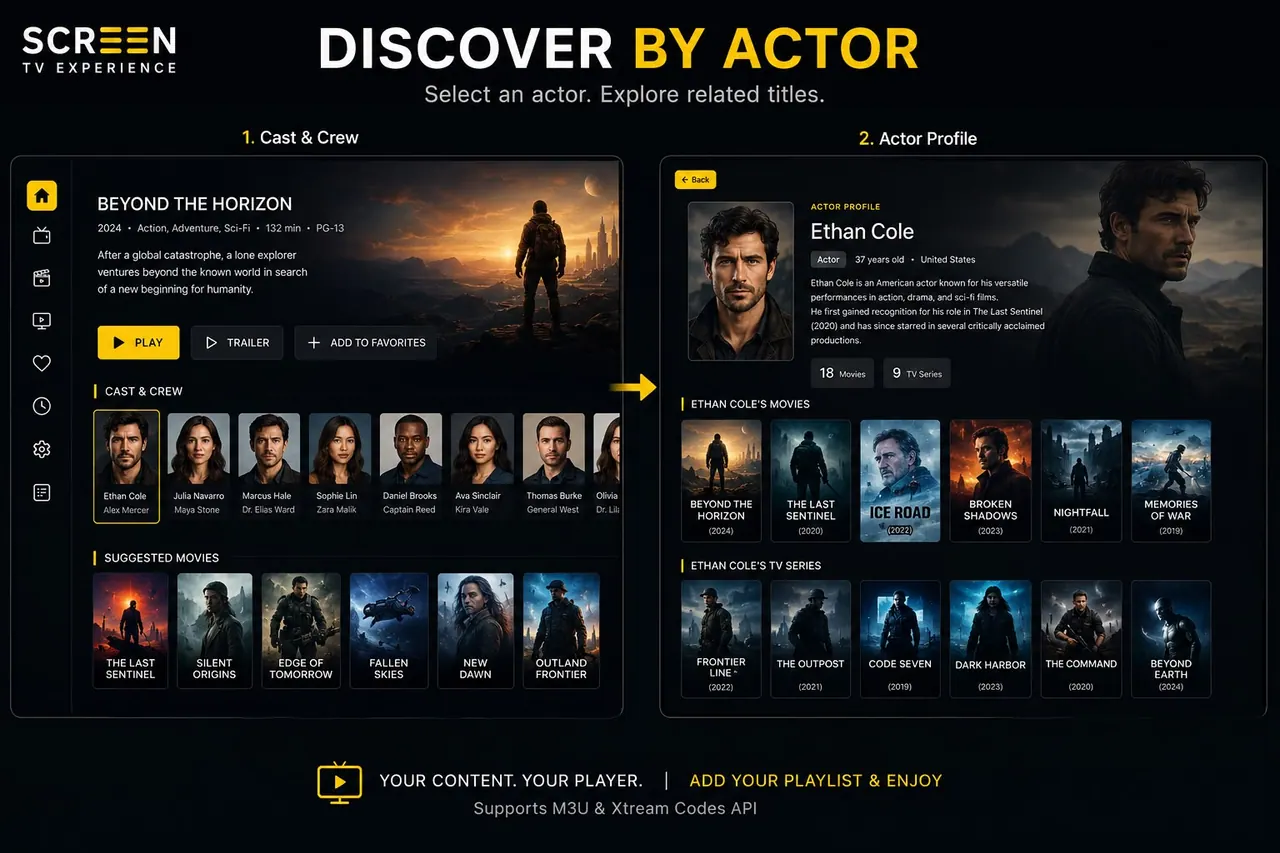
Explore movies and series featuring your favorite actors.
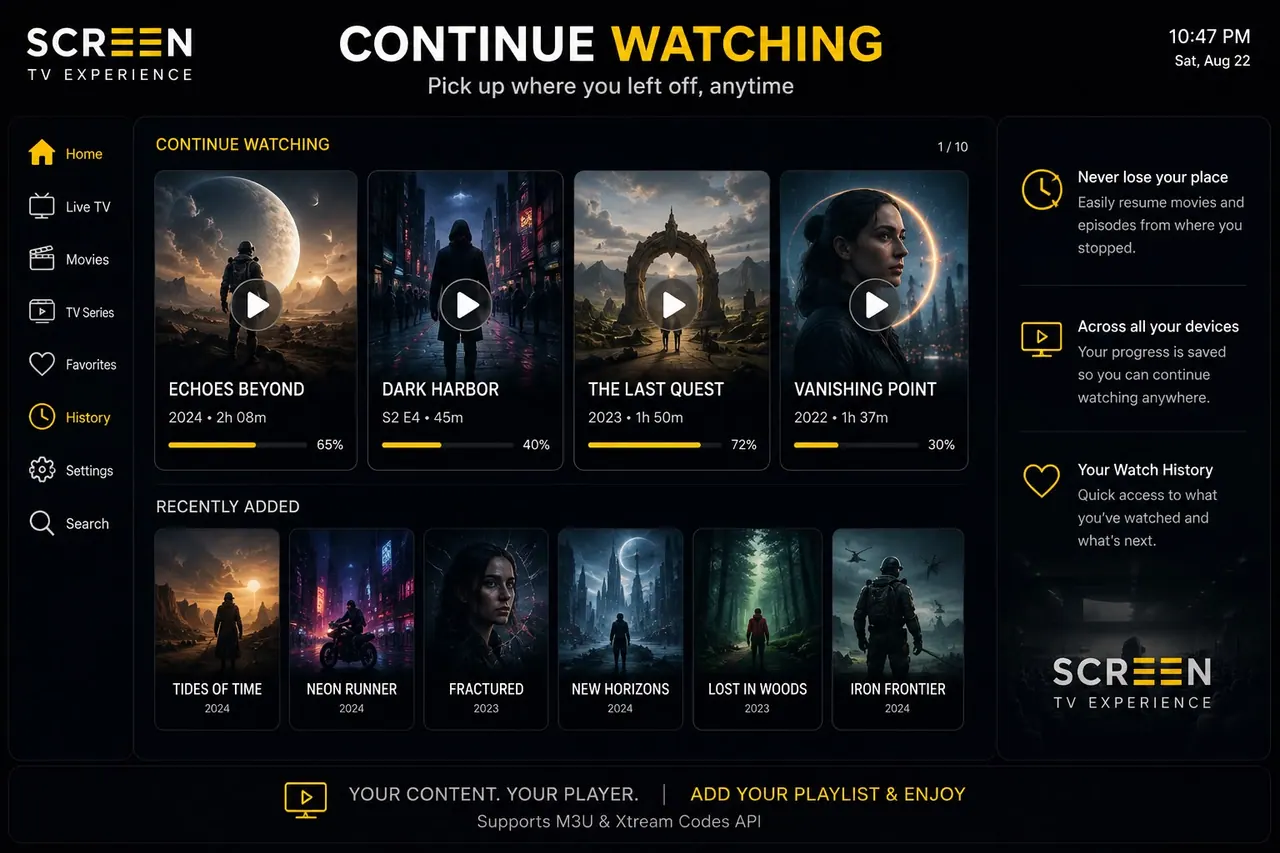
Return to the movies and episodes you started.
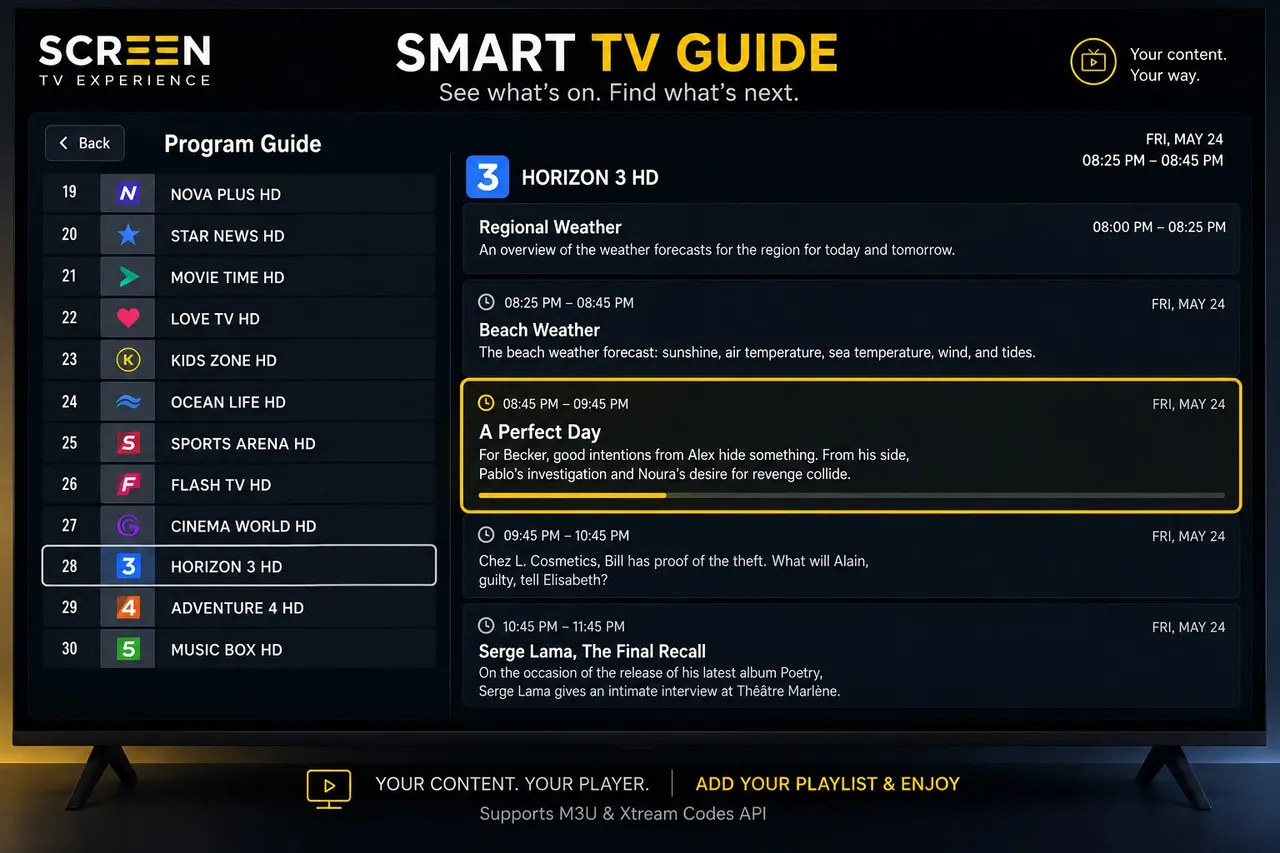
Browse schedules provided by your playlist’s TV guide.
Screen TV es un jugador premium; Si traes tu propia suscripción, te ofrecemos la mejor experiencia cinematográfica.
Enriquecemos automáticamente cada título con pósteres HD, sinopsis detalladas y valoraciones mediante TMDB e IMDB.
Absolutamente. Todos los datos provienen de fuentes públicas acreditadas.
Totalmente compatible con los últimos modelos de TV Samsung Tizen.
Tus favoritos están sincronizados de forma segura con la nube para un acceso instantáneo.
Screen TV admite listas M3U, M3U8, credenciales Xtream Codes y guías EPG XMLTV en Samsung Tizen, LG webOS, Android TV, Google TV, Amazon Fire TV, Roku, móviles Android y Windows.
Abre la aplicación Downloader en tu Fire TV, permite las fuentes desconocidas, introduce el código 305790 o https://apk.screentv-app.com/ e instala el APK oficial.
Abre Screen TV para ver la dirección MAC y clave de tu dispositivo, accede al portal de Screen TV, introduce tu enlace M3U o credenciales Xtream Codes autorizados, guarda y actualiza la app.
Prueba primero con otro canal o vídeo. Si solo falla una transmisión, consulta con tu proveedor de contenido. Si fallan varias, pausa otras descargas, prueba una conexión Ethernet o una señal Wi-Fi más fuerte y reinicia la aplicación.
Comprueba que tu proveedor de listas ofrece una EPG. Si usas una URL XMLTV independiente, compruébala, actualiza la guía y verifica que los identificadores de los canales coincidan con los de tu lista.
Abre Screen TV en el dispositivo que quieres gestionar y anota la dirección MAC y la clave que aparecen en la aplicación. Usa esos datos para iniciar sesión en el portal del dispositivo y mantén la clave en privado.